




安装caddy
增加模块
caddy add-package github.com/caddy-dns/cloudflare
Caddyfile 设置
*.yourdomain.com {  #修改为自己的域名
    bind 0.0.0.0:8443

    tls {
        dns cloudflare {env.CF_API_TOKEN}
        propagation_delay 2m
        resolvers 1.1.1.1
    }

    encode gzip zstd  # ✅ This enables gzip and zstd compression globally for all responses

    @nas host nas.yourdomain.com #修改为自己需要的子域名,内网nas为例子
    handle @nas {
        reverse_proxy 192.168.1.10:5000
    }

    handle {
        respond "Default route: domain matched, no subdomain rule" 404
    }
}
去CF后台得到API后配置systemd
https://dash.cloudflare.com/profile/api-tokens
nano /etc/systemd/system/caddy.service.d/env.conf
- 如果没有此文件,建立后设置
mkdir -p /etc/systemd/system/caddy.service.d
nano /etc/systemd/system/caddy.service.d/env.conf
[Service]
Environment=CF_API_TOKEN=填入API
保存后,重启服务
systemctl daemon-reexec
systemctl daemon-reload
systemctl restart caddy
路由器端口映射wan:8443>lan:8443
wildcard 配置,配置后本地可以设置任意的子域名
-
cloudflare DNS 设置为
*.yourdomain.com #修改为自己的域名 -
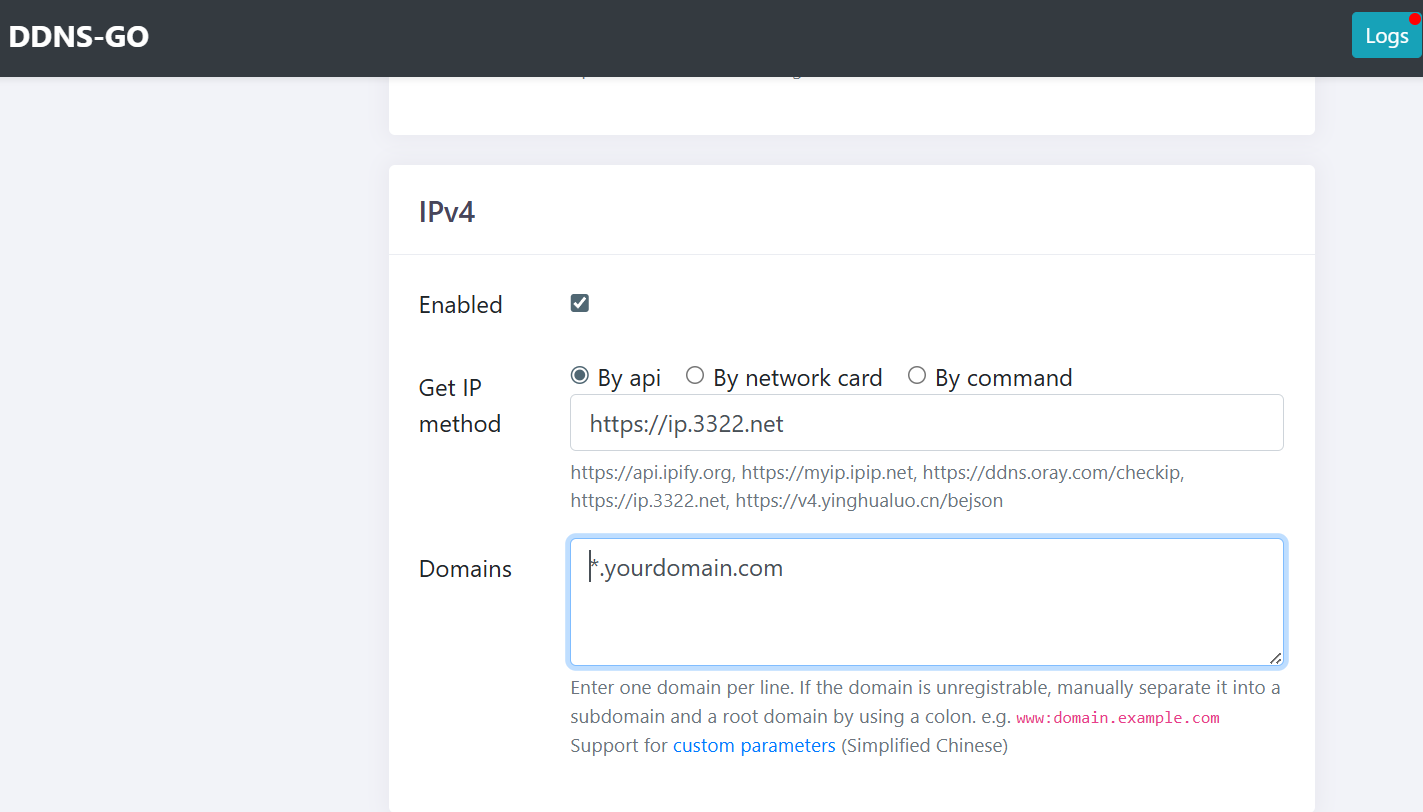
DDNS-go 需要配合设置
*.yourdomain.com #修改为自己的域名
如果要启用cloudflare DNS proxied 代理服务
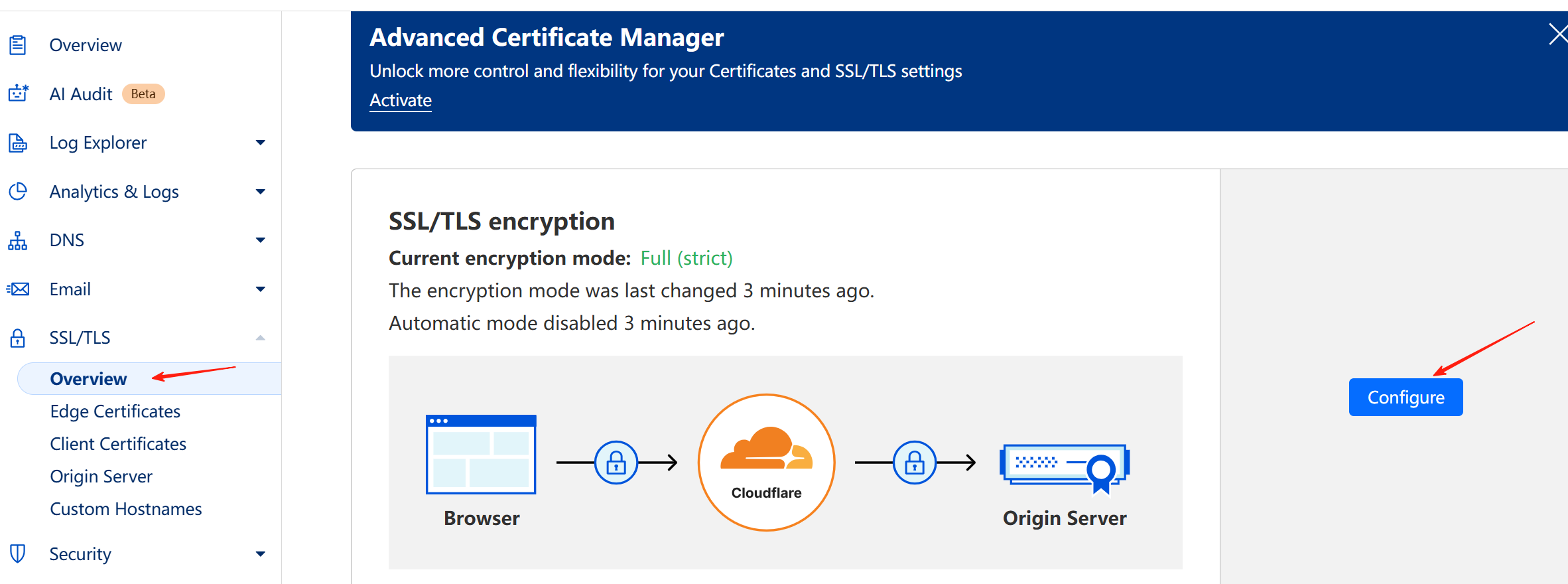
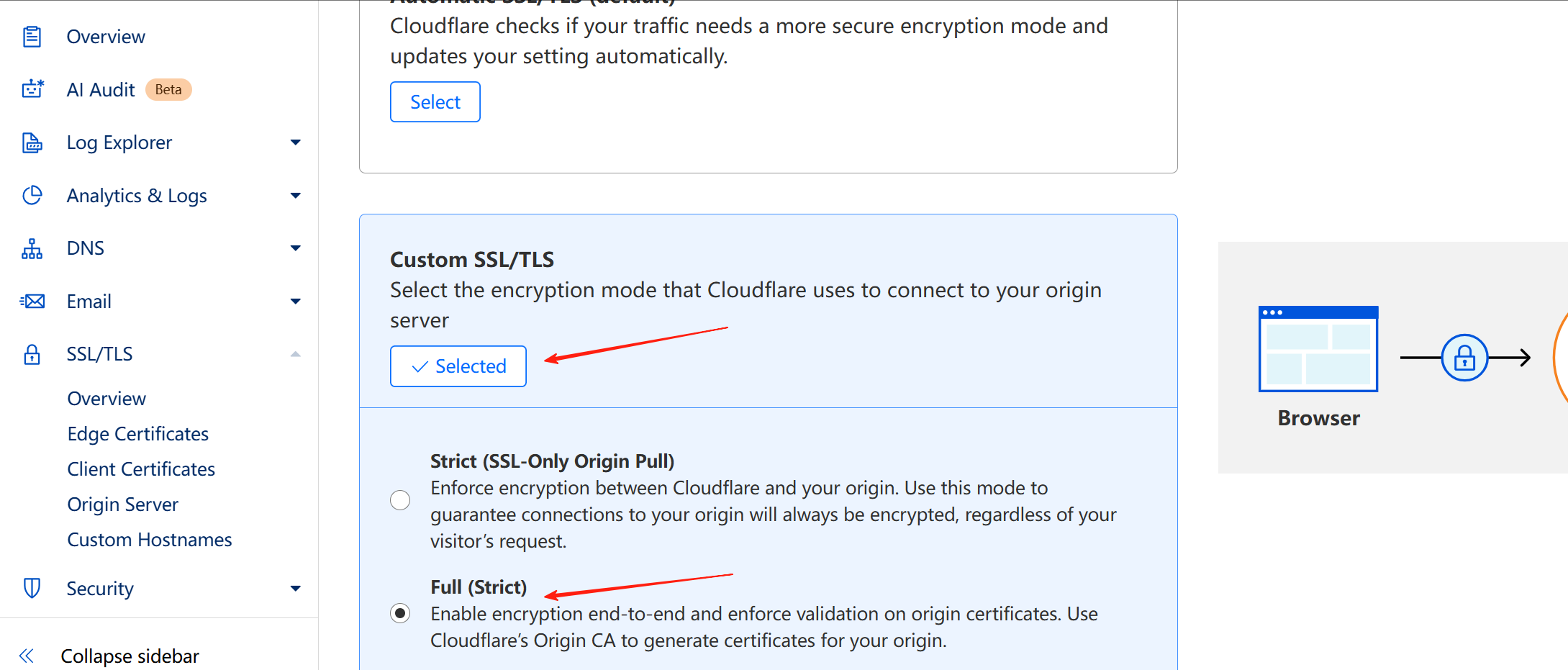
需要在CF后台SSL/TLS选项设置为Full (Strict)
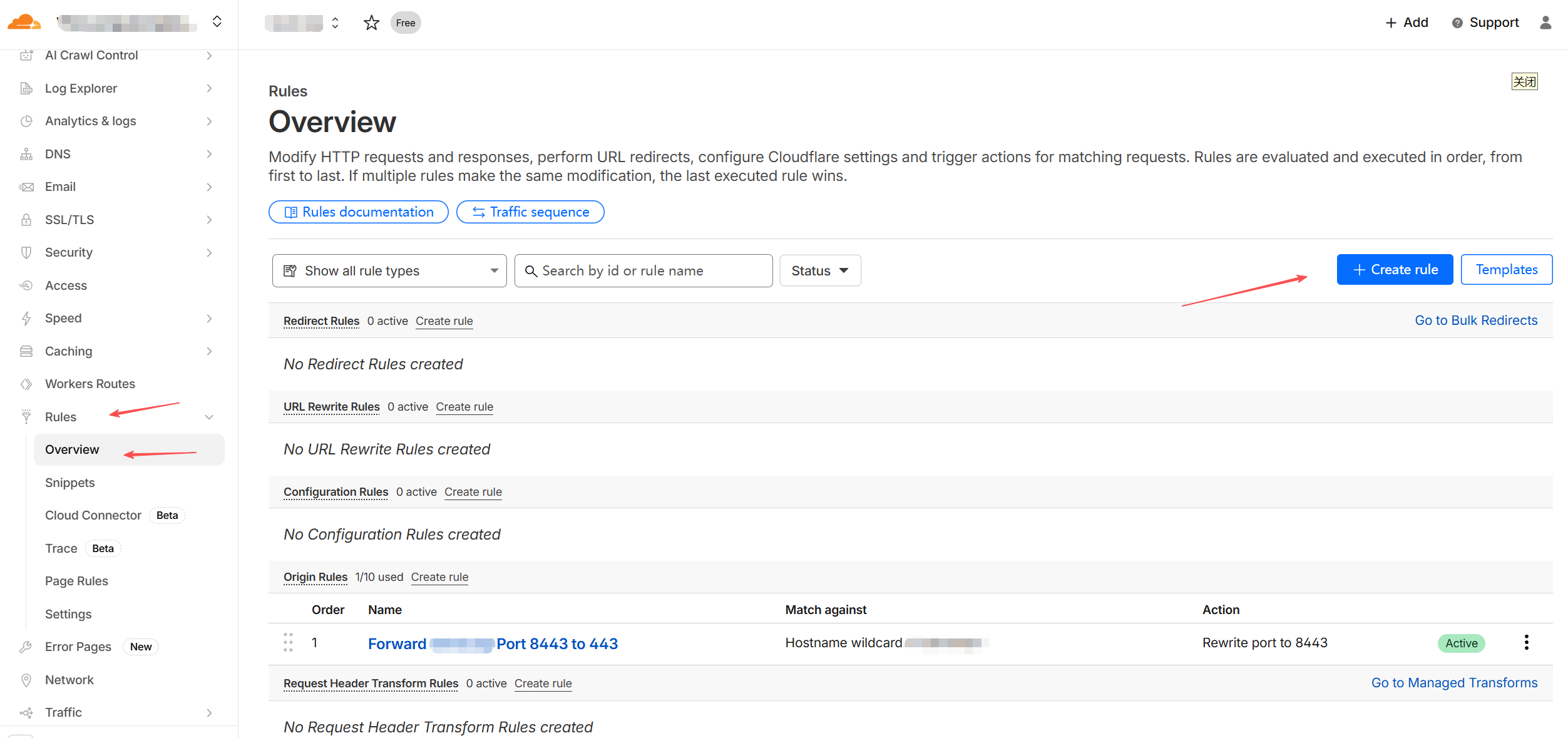
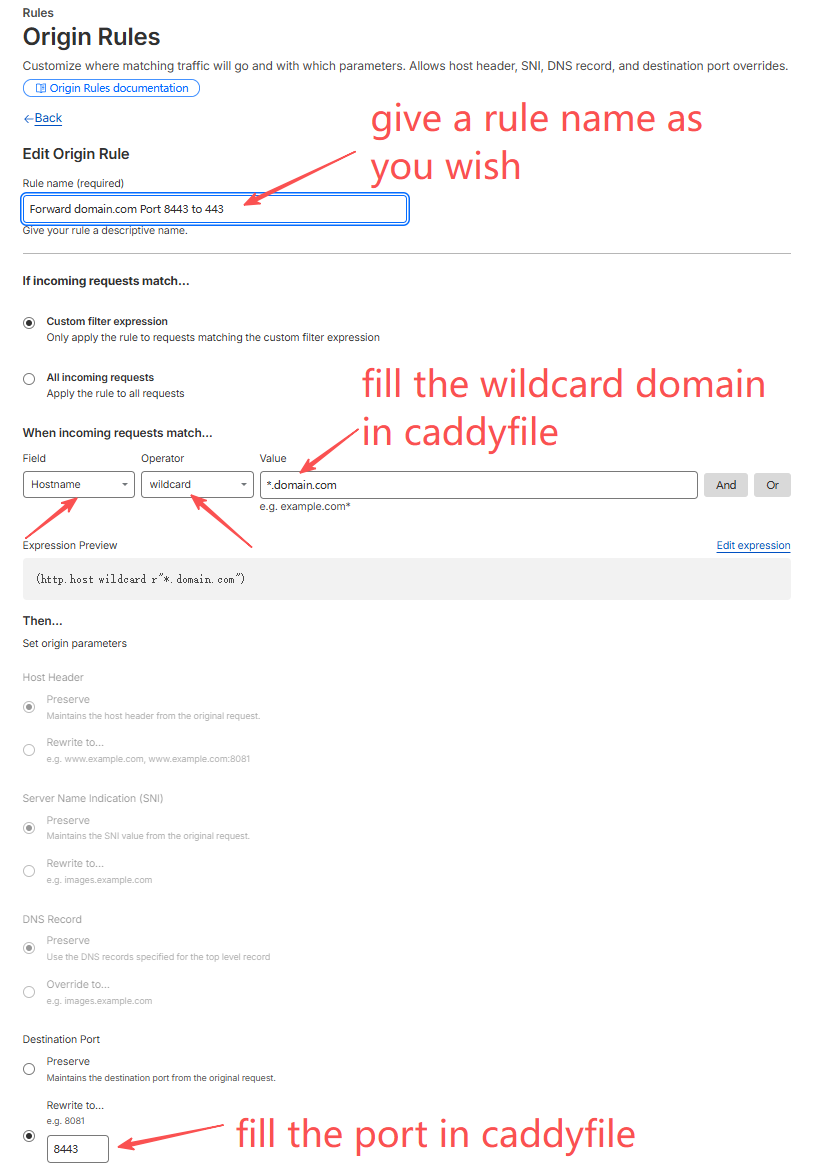
Config the “clean URL” (without :8443 at the end)
Step-by-Step: Hide the Port 8443 in Cloudflare
-
Log in to your Cloudflare Dashboard and select your domain.
-
Go to Rules > Origin Rules (in the left-hand sidebar).
-
Click “Create Rule”.
-
Define the Rule:
-
Rule Name: Forward to N3160 Port 8443
-
Field: Hostname
-
Operator: equals
-
Value: yourdomain.com (or *.yourdomain.com if you use wildcard).
- Set the Action:
-
Scroll down to Destination Port.
-
Select Rewrite to… and enter 8443.
- Save and Deploy.
评论区