




When you run a container, you attach port with the run command as docker does not provide any option to attach a port for a running container.
Generally you use parameter ‘-p’ with run command to map the host port with the container
docker run -it -p 80:80 -p 3306:3306 -v /var/www/html:/var/www/html ubuntu:18.04 /bin/bash
If you want to attach a port or multiple ports to a running container, here is the solution.
- Stop the container and cd into the container directory
cd /var/lib/docker/containers/d260db74672bf96c07536835229b1b3609c74f24ba54e4c4d0e314b24d01ae19
(long string is container id) find the id in portainer
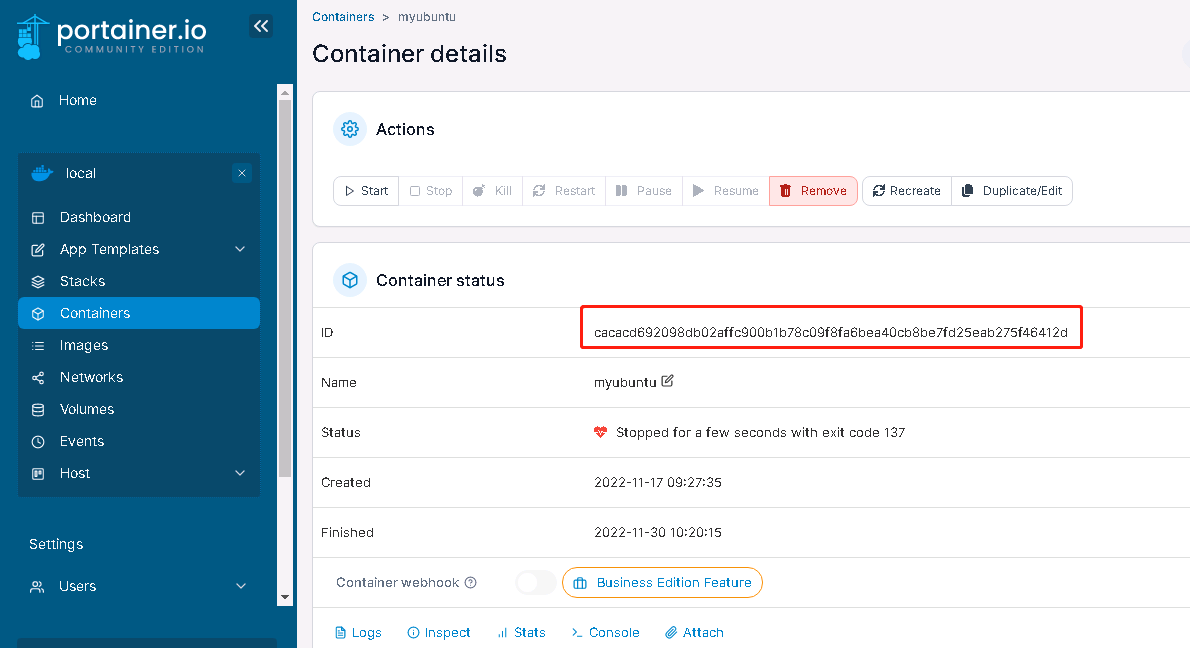
2. Edit files configv2.json and hostconfig.json
- Add your extra require port settings in these two files
hostconfig.json
"PortBindings":{"21/tcp":[{"HostIp":"","HostPort":"21"}],"27017/tcp":[{"HostIp":"","HostPort":"27017"}],"3306/tcp":[{"HostIp":"","HostPort":"3306"}],"80/tcp":[{"HostIp":"","HostPort":"80"}]},
configv2.json
"ExposedPorts":{"21/tcp":{},"27017/tcp":{},"3306/tcp":{},"80/tcp":{}},
Here we have attached four host ports with the container.
- Restart Docker, start container and log into it. You should be able to access the service of container in the host using attached port.
Using this method you can connect single port or multiple ports.
Note : You can map one port of host with the other of container. Example you can map port 89 of host with port 80 of docker container. This way you can access web server (apache / nginx ) service of container on port 89 of host.
https://linuxamination.blogspot.com/2021/09/docker-attach-port-to-running-container.html
评论区